
To access and download secure exam documents for academic qualifications, please see the Pearson Qualifications website here and follow the step-by-step guide below.
Please note: For BTEC externally set tasks, please see the Secure Tests page on our main website. For links to all externally assessed tests and preparatory materials for Vocational Qualifications, please see: External Assessments / Secure Tests / Preparatory Materials for Vocational Qualifications.
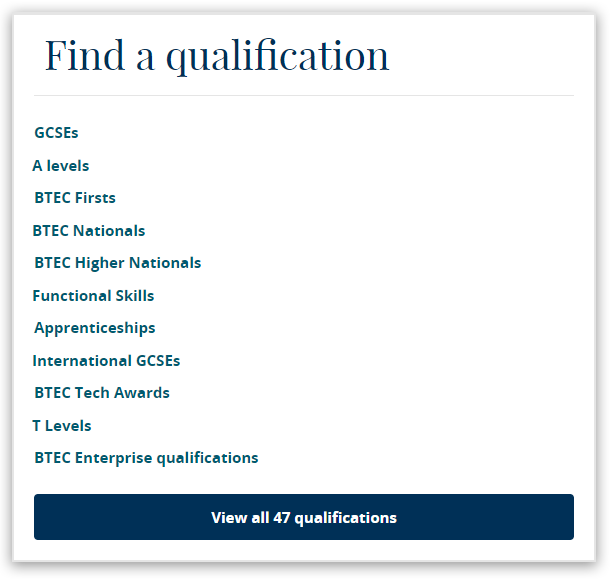
1. Under the heading 'Find a qualification' on the homepage, select the academic qualification you require:
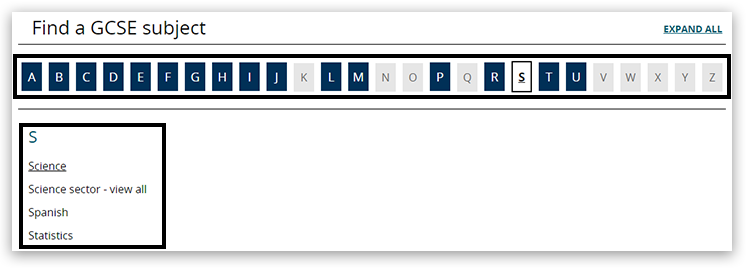
2. Under the 'Find a subject' heading, click on the first letter of the subject you require and choose from the subjects presented beneath:
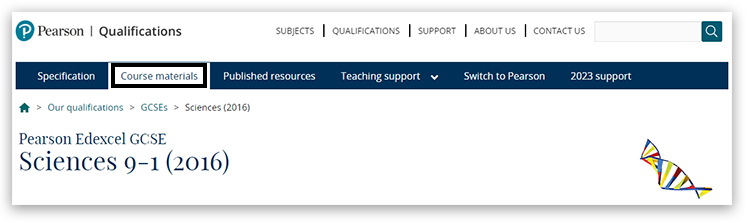
3. Click on 'Course materials' located under the subject title at the top of the page:
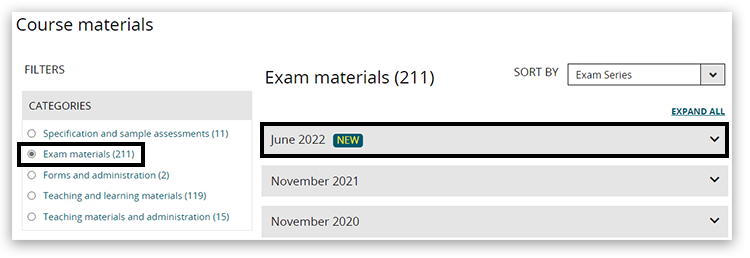
4. Click on 'Exam materials' in the Categories box underneath Filters. Click on the relevant exam series:
Please be aware that some of the materials held on these pages will be secure access only (indicated with a gold or grey padlock next to each document). Documents with a padlock can only be accessed by your centre's Exams Officer and may require your centre to have active registrations on that programme.
Materials for some units are released according to a timetable; please refer to the individual subject specification or Key Dates here.
Please Note: With the introduction of MFA to EOL, all centres can only have one user per Edexcel Online account; hence, with additional security measures Pearson has in place, it will supersede JCQ ICE regulation 4.5, which states, "Email accounts used for secure material access must belong to named individuals or be a group email account accessed solely by individuals authorised by the head of centre to handle secure materials."
Back to Exam Administration index page.


