Step-by-step guide
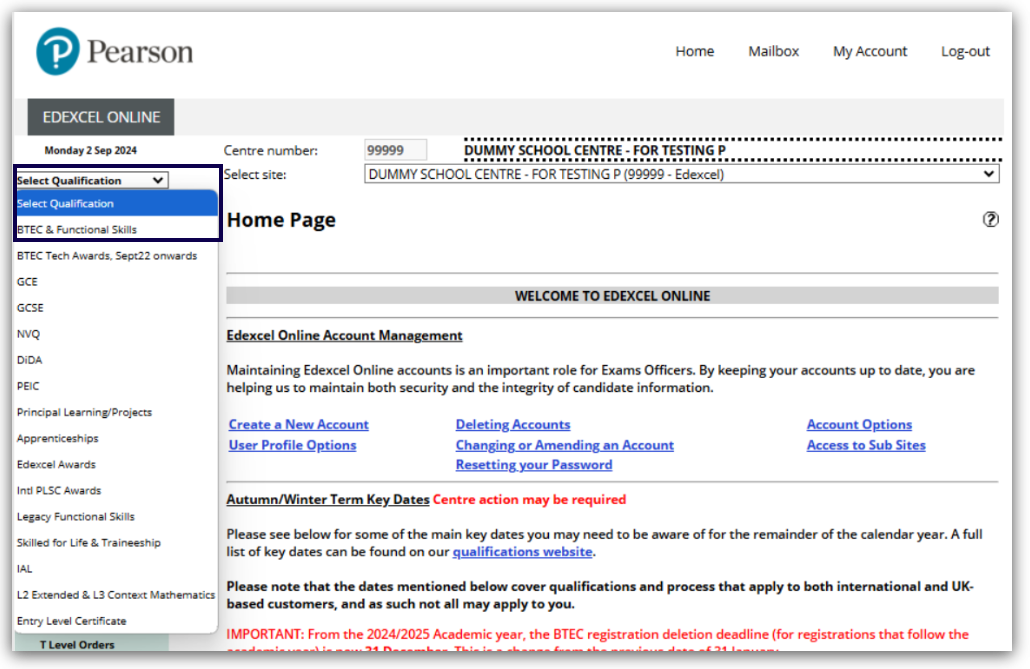
1. After logging into Edexcel Online, click on the 'Select Qualification' dropdown on the left-hand side and select 'BTEC & Functional Skills':
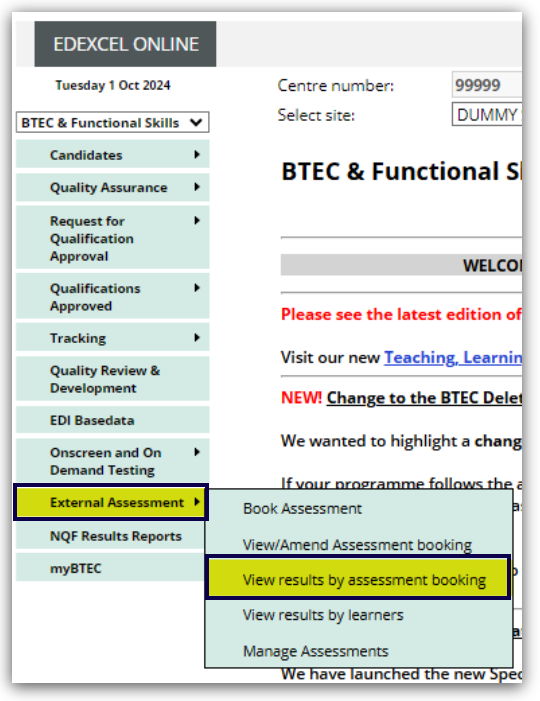
2. Hover over 'External Assessment' from the menu, then select 'View results by assessment booking'.
Please note: You can also use the 'View results by learners' options to search for specific candidate results.
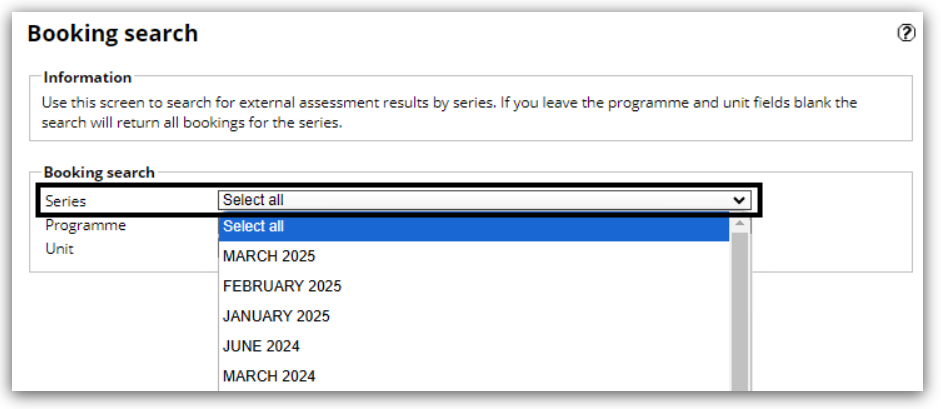
3. You can refine the booking search by the series, programme and units. Click the 'Series' dropdown box, and select the series required.
Please note: the 'Series' field is mandatory and must be selected to proceed.
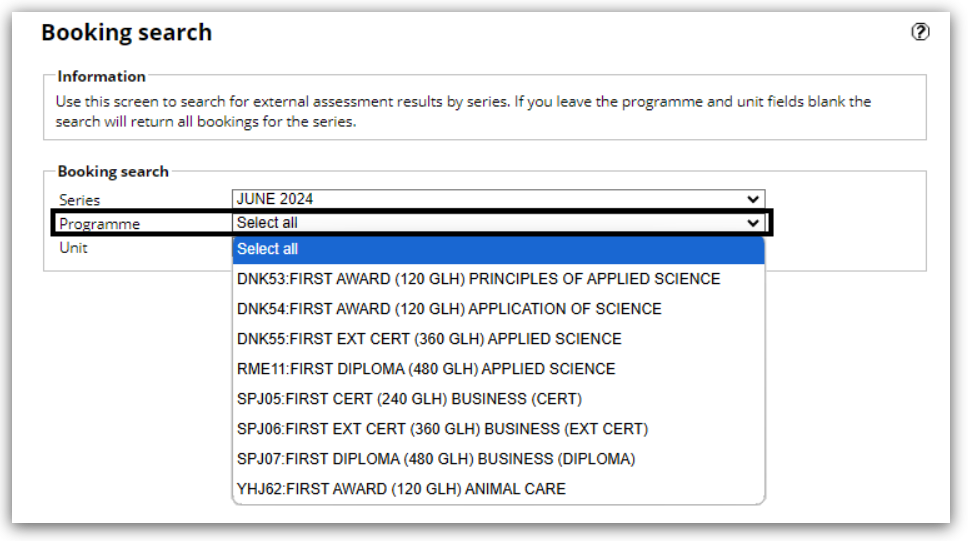
4. Next, you can click on the 'Programme' dropdown box and choose the relevant programme to further refine your search. This is an optional field, and you can click 'Next' without completing it if you'd like to conduct a broader search:
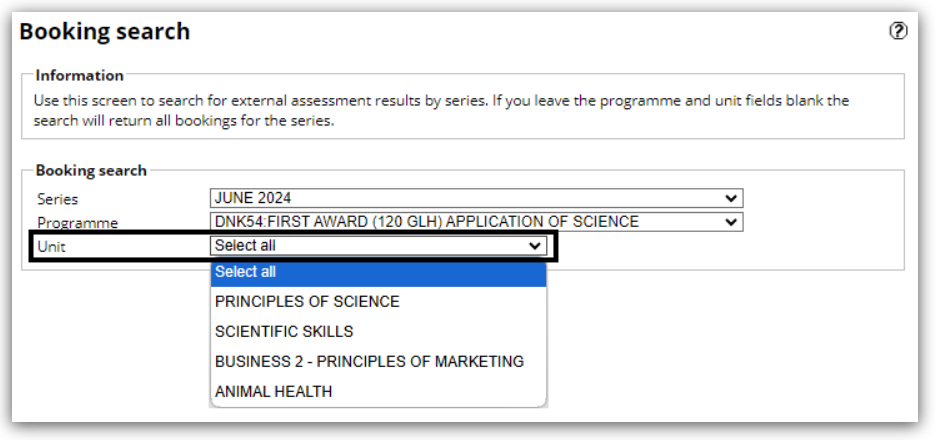
5. Then, you can click on the 'Unit' dropdown box and select the relevant unit to further refine your search. This is another optional field, and you can click 'Next' without completing it if you'd like to conduct a broader search:
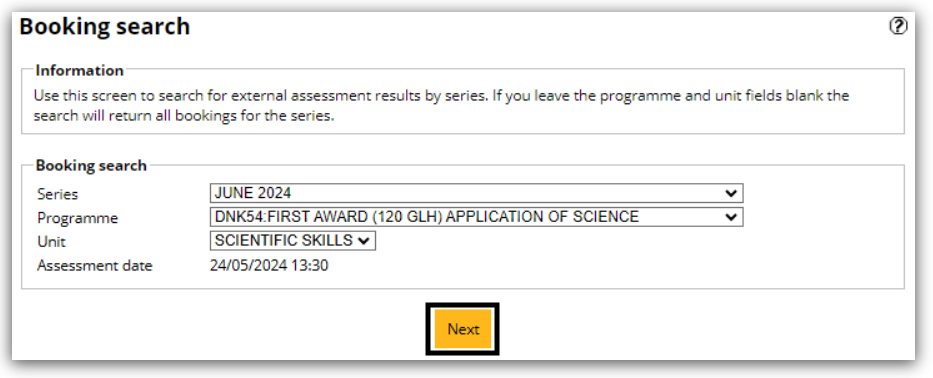
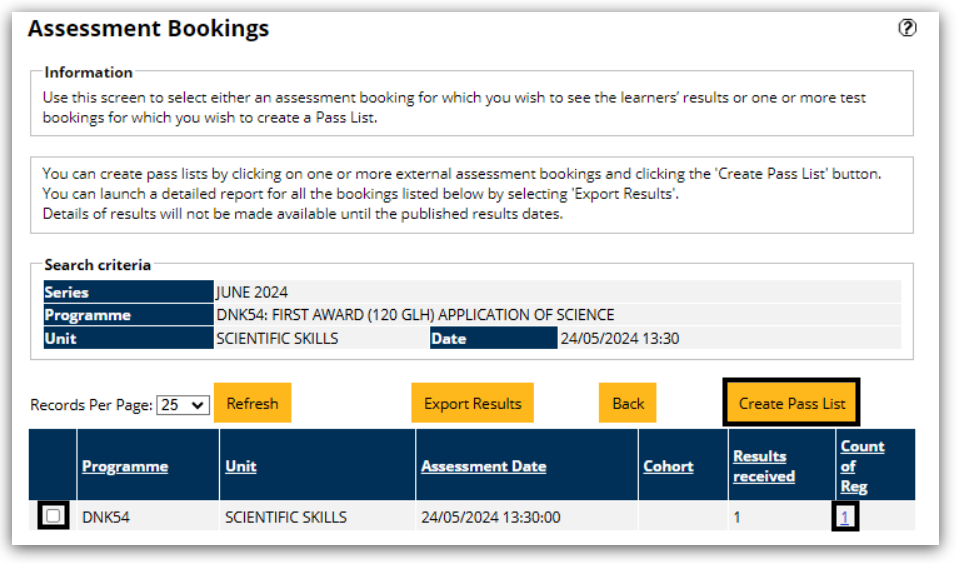
6. To create pass lists, click on the desired external assessment bookings and 'Create Pass List'. For a detailed report of all bookings, select 'Export Results'.
To view all candidate's results for the booking, click on the relevant number in the 'Count of Reg' column:
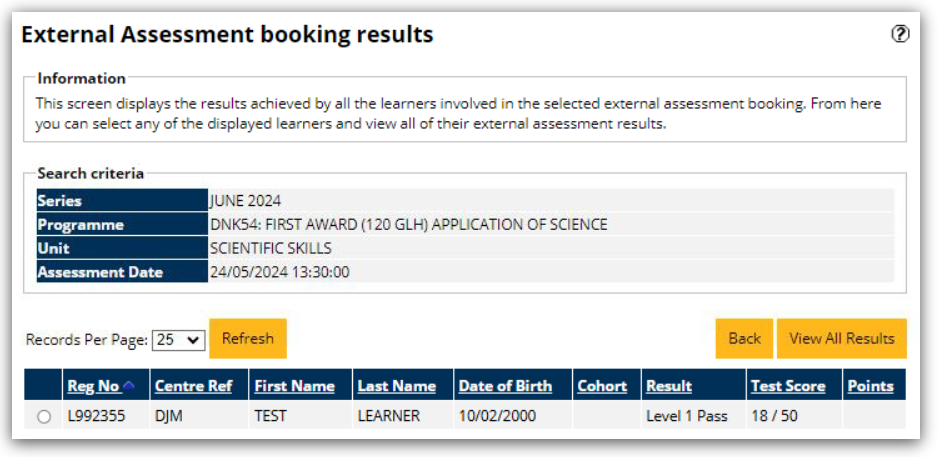
7. The next screen will show the results, test scores and points for all the learners in the selected booking: