
When entering a private candidate, it is up to each centre if they wish to accept private candidates; therefore, you do not need to ask our permission. More information for Private Candidates.
Please click below to expand each section and view support:
Searching for a Pearson registered centre
|
How do I add, update or remove my centre details?
|
If you're an approved Edexcel or BTEC centre and want to add, update or remove your information in the search options for private candidates, please complete our International Centre Listing form. We'll update the Search in the first week of each month with updates we've received from you during the previous month.
|
|
Entering private candidates
|
If you do accept private candidates, then please use Edexcel Online to enter the candidate in the normal way.
If entering them individually, please use their original UCI if they have one and select the 'Private' option as seen below:
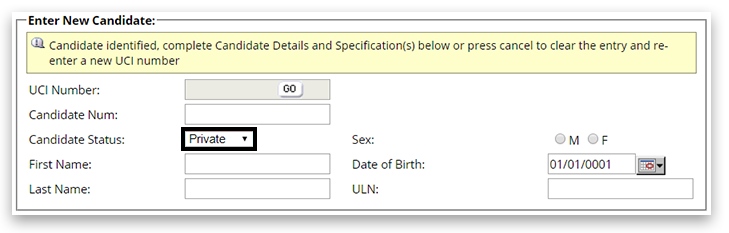
If entering them through the bulk entry spreadsheet, ensure columns H-J are completed:

|
|
Back to Entries & Registrations support index.


