
To view a list of all booked external assessments for NQF/RQF BTEC programmes, please expand the sections below and follow detailed guidance:
Step-by-step process
|
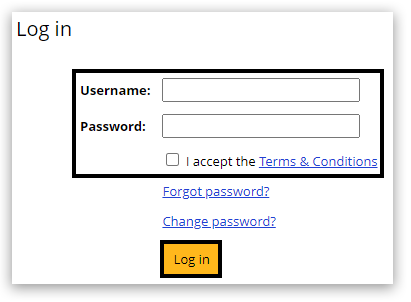
1. Log-in to Edexcel Online:
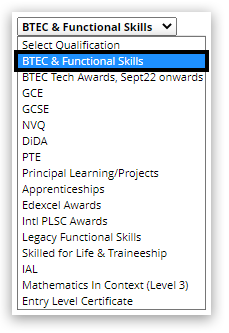
2. Select 'BTEC & Functional Skills' from the drop-down box in the upper left corner of the page:
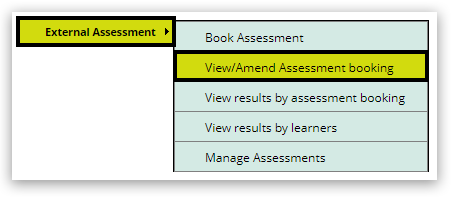
3. Select 'External Assessment' towards the bottom of the menu on the left side of the page and then 'View/Amend Assessment booking':
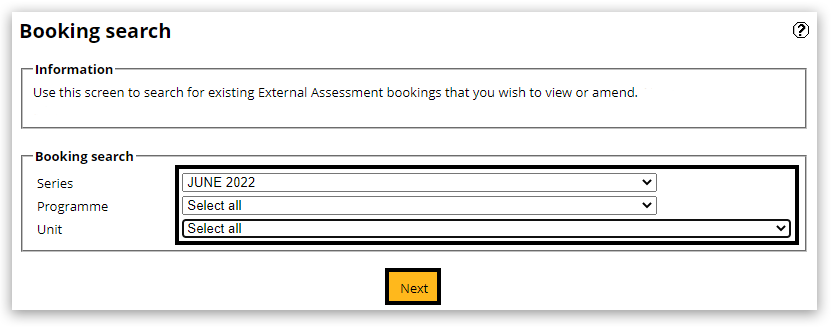
4. Select the 'Series', 'Programme' and 'Unit' from the available drop-down options in the 'Booking search' box.
The 'Series' and 'Programme' fields are mandatory and both must be selected to proceed.
5. After entering all details in the booking search, click on the yellow 'Next' button:
6. The following screen displays a list of programmes for which your centre currently has entries.
Click on the number under the 'Count of Reg' column to see all learners entered:
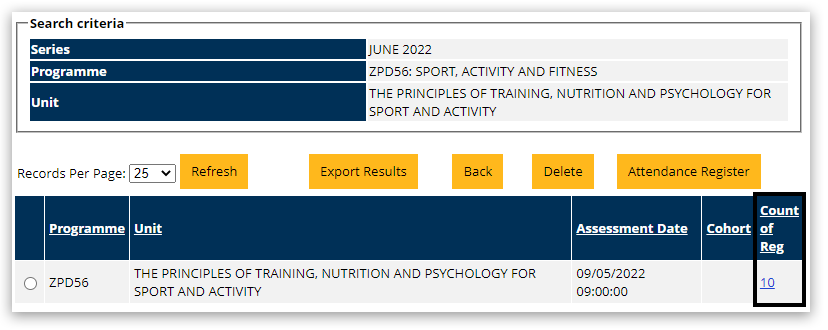
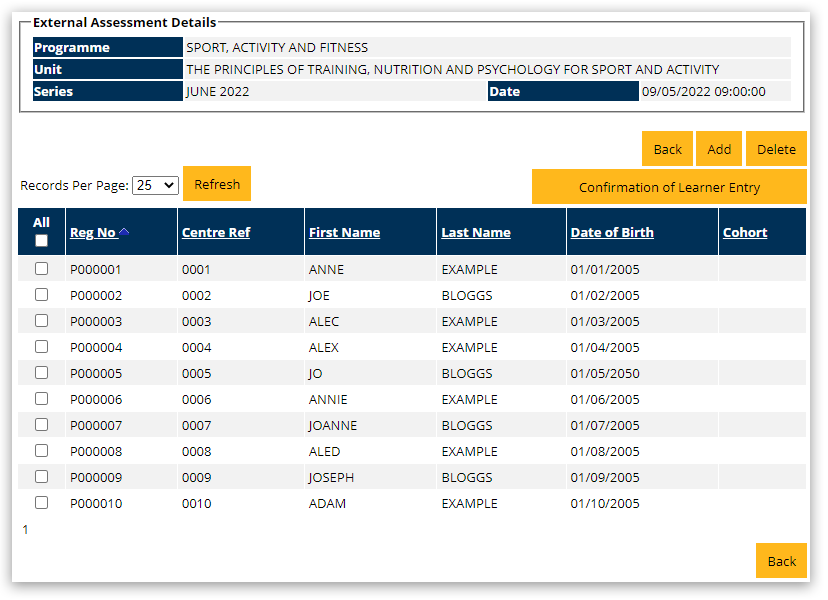
7. You can now see a list of all the entries your centre has for this specific assessment:
|
|
Interactive guide
|
How to view BTEC External Assessment Results on Edexcel Online: Click the image to view the interactive guide:

|
|
Related Articles:
BTEC Entries: Booking An External Assessment (NQF/RQF)
BTEC: Entry Confirmation Reports
BTEC Entries: Withdrawing An External Assessment Booking (NQF/RQF)
BTEC Entries: Booking An Onscreen Test
Back to Entries & Registrations index page.


